Guide for firmsClient portals
Client portal for accounting firms: a request workflow you can test before you buy
An upload is only the start. A useful portal carries each request from the ask to a reviewed, closed item, with an owner at every step and a record a reviewer can follow.
Short answerWhat should a client portal for an accounting firm do?
A client portal for an accounting firm should carry each request from the ask to a reviewed, closed item. It records what was requested, for which company and period, who owns it and what counts as complete. Uploads, questions and answers stay beside the request. Before your firm chooses software, its partners and practice managers should agree request states, owners and access rules, then test them in a demo with sample users and one awkward request.
Key takeaways
- Write requests a client can act on: company, period, document, purpose, due date and a named staff owner.
- Keep received and reviewed apart. A statement that covers half the month should stay open, not vanish into a folder.
- A client's reply goes back to the staff owner, who records the outcome. A reply is not an approval.
- Test access before go-live with sample users and fictional data, including removing someone's access.
- Where your firm is the GDPR controller and the portal supplier processes personal data on its behalf, Article 28 requires a written contract, or another binding legal act, with set terms.
01What should a client portal for an accounting firm do?
A client portal is where your firm asks clients for documents and answers, receives them and keeps the record. Many portals offer secure upload, messaging, reminders and a branded login. Those features matter, but they are not the point. The point is that every request reaches a clear outcome, and anyone in the firm can see where it stands.
So judge a portal by the workflow it supports. Can a request name the company, period and document? Does the portal show what is still missing? Does a client's answer stay beside the item it concerns? Can you limit each person to the companies and engagements they work on? Is there a record of who requested, uploaded, changed and closed each item? The table compares three common routes. Every 'yes' in the portal column depends on how it is set up: a portal with no request structure behaves like a shared folder with a logo.
| Question | Email attachments | Shared cloud folder | Client portal |
|---|---|---|---|
| Does it record what was requested? | Only in the email text, spread across threads | No. A folder holds files, not requests | Yes, if each request is set up as an item |
| Does it show what is still outstanding? | Only if someone keeps a separate list | Only by comparing the folder with a list | Yes, if items carry a status |
| Does an answer stay beside its item? | Rarely. Replies drift into new threads | No. Questions are asked somewhere else | Yes, if messages attach to the item |
| Can access follow companies and engagements? | No. Whoever is copied in can read it | Partly. Folder sharing is coarse and easy to get wrong | Yes, if roles and company access are set up and tested |
| Is there a record of who did what, and when? | Scattered across mailboxes | Partly, depending on the storage service | Depends on the product. Ask to see the activity history |
From the ask to a reviewed, closed item
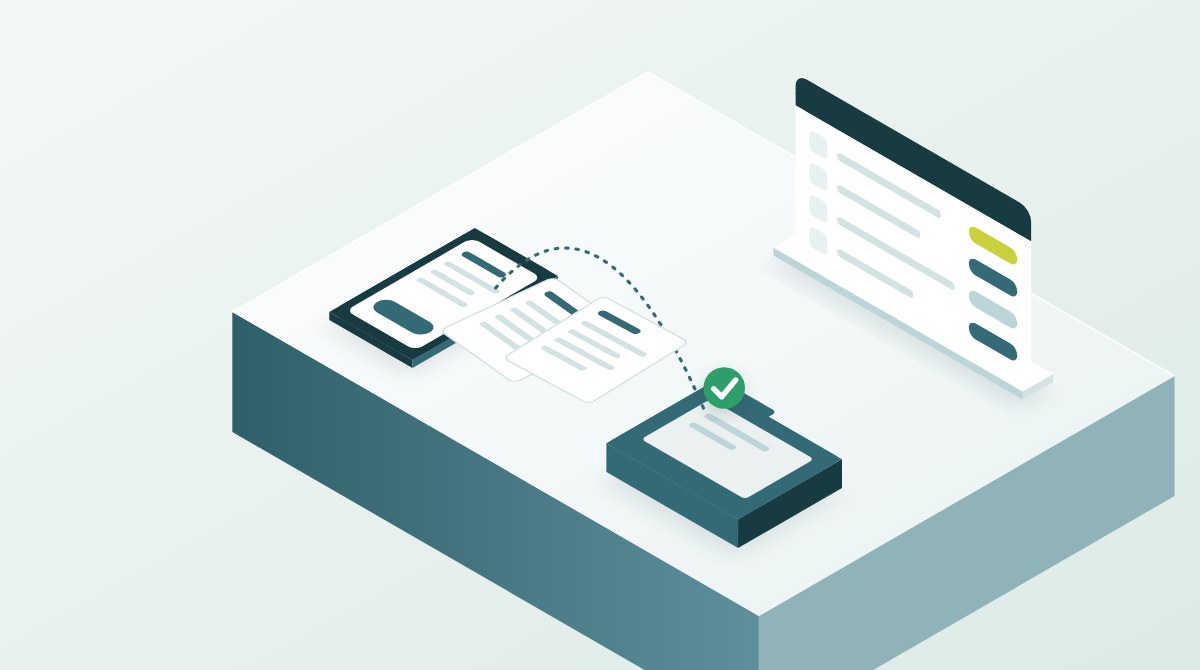
Follow one document request through the portal. Each step has an owner, and the upload is the middle of the story, not the end.
-
01
Request
Name the company, period, document and purpose. Set a due date and a staff owner.
Read this step: Request -
02
Upload
The client uploads from the web or a phone. The item moves to Received, not Complete.
Read this step: Upload -
03
Review
The staff owner checks the file against the request: right company, right period, the whole period.
Read this step: Review -
04
Clarify
If something is missing, the question sits on the item and the reply returns to the same owner.
Read this step: Clarify -
05
Close
The owner records the outcome and closes the item. The history stays for the reviewer.
Read this step: Close
The tracker further down turns the decisions behind these steps into a rollout plan, with an owner and a date for each.
02How do you write a document request a client can act on?
Start with the purpose: a monthly close, an audit area, a payroll change or a tax return. A request such as 'send the bank records' leaves too much open. Name the company, the account, the period and the document type. Say whether you need a statement, a transaction export or an explanation, and in what format. Add a due date and the person in your firm who owns the next step.
Make one item per document. If you need three statements, set up three items. Each can then be received, reviewed and closed on its own, and the client can see what they have already sent without rereading a thread. Keep the wording short enough to act on from a phone. If a request needs a paragraph of explanation, it is probably two requests.
- Company and, where it matters, the account or area.
- Period covered, with start and end dates.
- Document type and an acceptable format, for example the bank's PDF statement or a CSV export.
- Why you need it, in one line the client understands.
- Due date and the staff owner who acts next.
03Why keep received and reviewed as separate states?
A file arriving does not prove that it covers the right period or answers the question. A file arriving is the start of the work, not the end of the request. Use distinct states, and agree what each one means before rollout. Adapt the names to your firm. What matters is that every state has a rule for moving on. The table at the end of this section sets out one workable set.
Checking what arrives takes real time. ICAEW's July 2026 report on analytics in external audit, based on interviews across the UK audit market, found that validating client data is still one of the most time-consuming and technically challenging parts of the analytics process. A portal cannot validate data for you. It can stop an unchecked file from looking finished.
For audit work there is a standards reason too. ISA 500 requires the auditor to consider the relevance and reliability of information to be used as audit evidence (paragraph 7). When the information is produced by the entity, the auditor evaluates whether it is reliable enough, including its accuracy and completeness (paragraph 9). In Malta, S.L. 281.02 defines compliance with generally accepted auditing standards as adherence to the IAASB's standards, insofar as they are relevant to the statutory audit. The IAASB published proposed revisions to ISA 500 in August 2026, with comments due by 15 December 2026. They are proposals, not a final standard.
| State | What it means | Who acts next | Moves on when |
|---|---|---|---|
| Requested | The item is set up and the client has been asked | Client | A file or an answer arrives |
| Received | Something has arrived. Nobody has checked it yet | Staff owner | The owner starts checking it |
| Under review | The owner is checking it against the request | Staff owner | It answers the request, or a question is needed |
| Clarification needed | Something is missing or unclear, and the question sits on the item | Client | The client replies or uploads again, and the item returns to Received |
| Complete | The owner has checked it and recorded the outcome | Reviewer, if your process has one | It is reopened only with a recorded reason |
| Not applicable | The item does not apply this period, and the reason is recorded | Staff owner | Circumstances change |
A file arriving is the start of the work, not the end of the request.
04What happens after the client replies?
When an invoice or a payment needs explaining, attach the question to that item and say who should answer. Make the next action specific: confirm the business purpose, upload the invoice, or explain the difference. A message saying 'the books need attention' hands the diagnosis to the client.
When the answer arrives, the item goes back to its staff owner. A reply does not mean the accounting treatment is accepted. The owner reads it, decides and records the outcome on the item. This handoff matters most when several people work on the same company, because the person who asked may not be the person who reviews.
05Who owns each request, and how do you test access?
Agree who creates requests, who receives notifications, who follows up and who may close each item. Give the client one route for questions, and name the staff owner inside the firm. Arrange cover for leave and busy periods, so no request depends on one person's inbox.
Then test access with sample users and fictional data. The UK National Cyber Security Centre's cloud security principles (version 2.1, reviewed June 2023) give a useful frame for the questions. They apply to software-as-a-service as well as cloud platforms. They expect a provider to give you tools to manage who can do what (principle 9), to limit access to authenticated identities (principle 10) and to give you audit information about what happened and when (principle 13). They are UK guidance, not Maltese law, but the questions apply to any portal.
- A client contact with two companies sees both, and nothing else.
- An employee assigned to one engagement cannot open another client's file.
- A reviewer can see several files and the full history of each item.
- Removing a client contact or a leaver ends their access, and you can see that it did.
- The activity history shows who requested, uploaded, changed and closed an item, and when.
06What should you ask a portal supplier about client data?
A portal holds bank statements, payslips, identity documents and tax records, and much of that is personal data. The GDPR has applied since 25 May 2018. It defines the controller as the person or body that determines the purposes and means of processing personal data, and a processor as one that processes personal data on the controller's behalf (Article 4(7) and (8)). Which role your firm and the portal supplier each have depends on the facts of each service, so confirm it for your own setup.
Article 32 asks both controller and processor for security appropriate to the risk. Its examples include encryption, keeping systems confidential, intact, available and resilient, restoring access after an incident, and regularly testing the measures. A 'GDPR compliant' badge on a website settles none of this. Ask any portal supplier for its list of sub-processors, where the data is stored, how a restore works and how security is tested, and record the answers. The NCSC draws the same line: its principles help you choose a provider, but you still have to configure the service securely yourself.
Where your firm is the controller and the supplier processes personal data on its behalf, ask for the contract. Article 28(1) says a controller may use only processors that give sufficient guarantees of appropriate technical and organisational measures. Article 28(3) requires a contract, or another binding legal act, which must cover, among other points:
- processing only on your documented instructions;
- confidentiality from the people who handle the data, by their commitment or a statutory duty;
- the security measures that Article 32 requires;
- using sub-processors only with your prior written authorisation;
- deleting or returning the data at the end of the service, at your choice;
- making available the information needed to show compliance, and allowing audits and inspections.
07How do you know the portal workflow is working?
Run a small pilot before you move every client. Pick a few clients, one common request and one awkward case. Agree the measures before you start, so a quiet month is not mistaken for success.
Look for repeated causes, not for clients to blame. If most clarifications come from one request wording, fix the template. Timing depends on the task, the client's records and your staffing, so compare like with like. The tracker below turns the rollout decisions into a plan with an owner and a date for each. It records what you tell it. It does not test any software or assess security.
- Requests that were clear on first receipt, with no clarification needed.
- Clarifications per request, grouped by cause: wrong period, wrong document, missing explanation.
- How long an item waits between a client's reply and a staff review.
- Items closed with the outcome recorded, not just a status change.
- Requests that still went by email, and why.
Track your client portal rollout decisions
List the decisions your firm needs before the portal goes live. Give each one a status, an owner and a date. Mark a decision not applicable only if you can say why.
How the result is worked out
Each item has exactly one status. In place and checked counts as done; Not applicable takes the item out of the count; Not started, Drafted and Agreed, not yet checked are outstanding.
Progress is done items divided by the items that apply. Nothing is checked or verified: the result only reflects the statuses you choose.
08How do you walk through your own request in a Vacei demo?
Vacei describes itself as the operating system for accounting and audit firms. Its homepage describes a client portal for requests, documents and live figures, in your firm's brand, on the web and on the client's phone. The portal carries your logo, colours and domain, with a small 'Powered by Vacei' mark. For audits, the homepage says requests go to the client portal, new evidence is filed into the audit file and re-tested, and the auditor reviews every working paper and signs. Its outsourced audit page says audit requests go out under your firm's name and each answer lands in the file.
Those are the supplier's own descriptions. Use a firm demo to see them against your own workflow. Vacei says it shows the demo on sample data, and its homepage links to a sample client portal with fictional data. Bring one common request and one awkward case, such as the half-month bank statement above, described rather than sent as client records. Ask to see the request as the client sees it on a phone, where the answer lands, and where review and sign-off happen.
Then write down what your firm still has to decide itself, whichever portal it uses: request wording, states, owners, reminders and access rules. Those decisions are yours, and the rollout tracker above keeps them in one plan.
Common questions
What is the best client portal for accounting firms?
The one that passes your own workflow test. This guide does not rank products. Check that the portal records each request by company and period, keeps received apart from reviewed, returns client replies to the staff owner, limits access by company and engagement, shows an activity history and, where the supplier processes personal data on your firm's behalf, comes with an Article 28 contract. Test those with sample data before you compare prices.
What is a client portal for an accounting firm?
A secure, branded place where the firm asks clients for documents and answers, receives them and keeps the record of each request. The useful ones track every request to a reviewed outcome rather than just storing files.
Is email or a shared folder good enough for collecting client documents?
Either works for a handful of requests. Email struggles to show what is outstanding, keeps answers in separate threads and spreads copies across mailboxes. A shared folder stores files, but it does not know what was requested, what is missing or who should act next, and a request list kept beside it soon drifts. If your firm is subject to the GDPR, it also has to judge whether its route gives the level of security Article 32 expects for the personal data involved.
How do you get clients to use the portal?
Make it the easiest route. Send clear, one-document requests that open on a phone, answer questions inside the portal, and file documents that still arrive by email against the item they belong to, so the record stays complete. Explain the change once, with a one-page guide.
Is an uploaded document the same as a completed request?
An upload means something has arrived. The request is complete only when the staff owner has checked that it answers the request and recorded the outcome. Keeping those states apart stops an incomplete file from looking finished.
Does a 'GDPR compliant' portal make the firm compliant?
Not on its own. The GDPR places duties on both the controller and the processor. Where the GDPR applies and the firm is the controller, it must use only processors providing sufficient guarantees (Article 28(1)), have a contract covering the Article 28(3) points, and implement security appropriate to the risk (Article 32). Where the firm is itself a processor and engages another processor, Article 28(4) requires the same obligations to be imposed on that other processor.
Can a client portal handle audit PBC requests?
Yes, if each prepared-by-client item is set up as a request with a period, an owner and a status. Received is still not reviewed: under ISA 500, the auditor evaluates whether information produced by the entity is reliable enough for the audit.
What should an accounting firm test in a portal demo?
Follow one ordinary request and one awkward one from creation to upload, clarification, review and closure. Test access with sample users, access removal and the activity history. Ask to see each step in the product, using sample data.
How this guide was prepared
Method and limits
This guide describes how an accounting or audit firm can design and test a client request workflow. It is general information, not legal, security or audit advice for a particular firm.
Legal points come from the GDPR text on EUR-Lex. Auditing points come from ISA 500 in the IAASB's 2025 Handbook and from S.L. 281.02 on legislation.mt. ICAEW and NCSC material is UK guidance: it informs the questions but is not Maltese law. Statements about Vacei are the supplier's own published descriptions. Every source was checked on 6 October 2026.
The tracker records the decisions you say you have made. It does not test a portal, assess security or confirm compliance.
Related Vacei pages: Vacei for firms · How an audit runs on Vacei · Vacei on your phone · Outsourced audit · Pricing for firms.
Who prepared it
- Author
- A4 Team
- Published
- 6 October 2026
- Last substantive update
- 6 October 2026
- Sources checked
- 6 October 2026
Sources
- General Data Protection Regulation (EU) 2016/679, arts. 4, 28, 32 and 99, OJ L 119, 4 May 2016eur-lex.europa.eu · published 4 May 2016 · checked 6 October 2026
- IAASB: ISA 500, Audit Evidence, paras. 7 and 9, in the 2025 Handbook, Volume 1ifacweb.blob.core.windows.net · checked 6 October 2026
- IAASB: Exposure Draft, Proposed ISA 500 (Revised), Audit Evidence, ED-500 (2026), August 2026, comments due 15 December 2026ifacweb.blob.core.windows.net · checked 6 October 2026
- Accountancy Profession (Accounting and Auditing Standards) Regulations, S.L. 281.02, regs. 2 and 4legislation.mt · checked 6 October 2026
- ICAEW: Analytics in external audit: current practice and trendsicaew.com · published 28 July 2026 · checked 6 October 2026
- NCSC: The cloud security principles, version 2.1, reviewed 7 June 2023ncsc.gov.uk · checked 6 October 2026
- Vacei: firm overview, client portal and audit portal descriptionsvacei.com · checked 6 October 2026
- Vacei: outsourced audit fieldworkvacei.com · checked 6 October 2026
- Vacei: the client and partner appsvacei.com · checked 6 October 2026
- Vacei: book a firm demovacei.com · checked 6 October 2026
Walk through your request workflow in a Vacei firm demo
Bring one common request and one awkward case. See the request as your client would on a phone, where the answer lands, and where review and sign-off happen. Vacei shows the firm demo on sample data, so describe your cases rather than bringing client records.